
Cancel Subscriptions - Subee
VUNYOFinance
4.2327.00 Reviews
- Version
- 1.2.35
- Installs
- 100.00K
- Age Rating
- Everyone
Screenshots


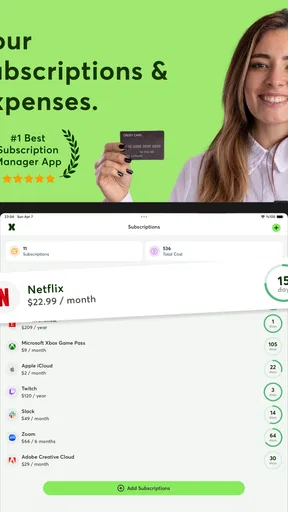
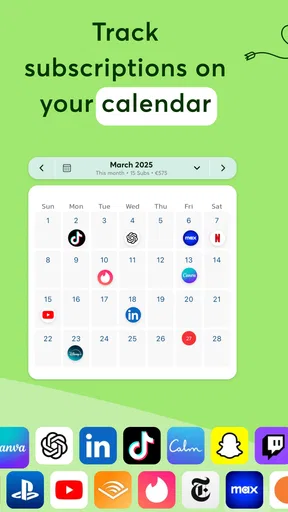
Our Review of Cancel Subscriptions - Subee
 Analysis by Appyee
I approach subscription managers as practical housekeeping tools, not magic money savers. Their value depends on whether they make it easier to see recurring charges and act on them. Cancel Subscriptions - Subee is a finance app from VUNYO built around that problem. It is free to download, though it also offers in-app purchases, so I would check the available options before assuming every part of the experience is free.
What the free access is worth
For someone who wants a clearer view of recurring payments, the main appeal is having a place to gather and review them rather than relying on memory. The free entry point makes it easier to try the app and decide whether its approach suits your routine. There are paid items listed at prices ranging from $4.99 to $99.99 per item, but that range alone does not tell me which capabilities are included at each level. I would weigh any purchase against the specific task I need it to solve, rather than paying simply because the app promises convenience.
That distinction matters with finance apps: finding a subscription is useful, but it does not automatically mean a service will be canceled or that money will be recovered. I would treat any cancellation or refund action as something to verify with the provider and check my account afterward. The app’s refund-focused wording may attract people looking for help with an IRS government refund, but I would not assume that installing a subscription manager guarantees a refund or replaces official tax guidance.
Getting Started with Subee
First things first, downloading Cancel Subscriptions - Subee is a breeze. Available on both Android and iOS, it's just a quick search in the app store, and voilà, you're ready to roll. Once installed, the app greets you with a clean and intuitive interface, making the onboarding process feel like a walk in the park.
As you open the app, Subee prompts you to connect your bank accounts and email accounts. This is where the magic happens. By granting access, Subee scans for recurring charges and subscriptions. Yep, it's like having a personal detective rooting out all those forgotten automatic payments.
Deciding what to connect
Connecting financial and email accounts is a consequential choice, not just another setup step. Before linking anything, I would pause to read the access and privacy information shown in the app and decide whether the convenience is worth sharing that information. If I would rather not connect accounts, I would first check whether Subee offers a useful manual workflow; I would not assume that it can identify charges without the access it requests.
There is also a practical reason to review the results instead of treating a detected charge as proof of an active subscription. A recurring payment could be a plan I still use, a household member’s service, or a payment whose description is not obvious. I would match unfamiliar entries against receipts or the provider’s account page before taking action. That small check helps prevent an accidental cancellation of something important.
The Subscription Detective
Once connected, Subee’s dashboard showcases a neat list of all active subscriptions. This is where I found out I was still paying for a magazine subscription I hadn’t read in years. Oops! The app gives you a detailed overview, including the next billing date, amount, and provider. It's like having an eagle-eye view of your subscription landscape.
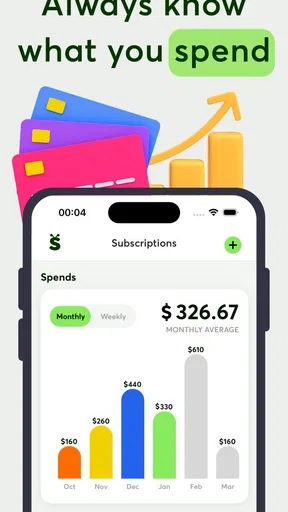
Subee also categorizes your subscriptions, so you can easily see how much you're spending on streaming services versus fitness apps or news outlets. This feature is super handy if you're trying to budget more effectively.
Turning a list into a useful review
I would use the dashboard as a monthly audit, not only as a one-time cleanup. A helpful workflow is to sort through the entries and ask three things: do I still use this, is it duplicated elsewhere in my household, and does the next renewal fall before I expect to review it again? The category view can make the second question easier, especially when several services cover similar needs. It can also reveal that a small number of recurring choices make up most of the spending worth reconsidering.
For a realistic example, imagine checking the app before a busy month when a streaming plan, a fitness service, and a news subscription are all due to renew. I would confirm which ones I have actually used, check the renewal timing, and cancel only the service I am ready to give up. That is more useful than canceling everything in a burst of enthusiasm and signing up again later because I overlooked a service I rely on.
Canceling Made Easy
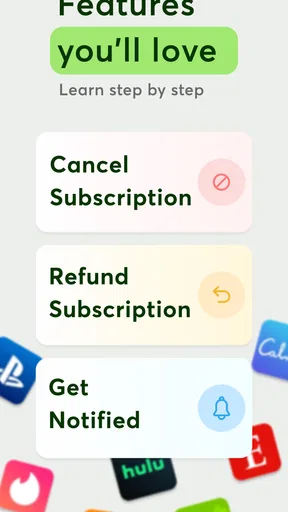
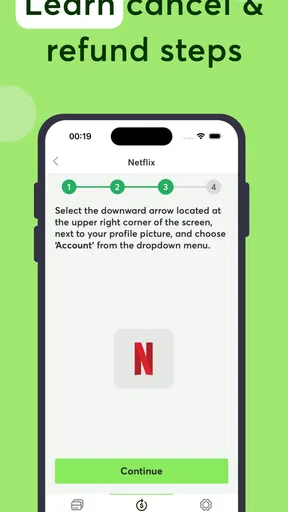
The real kicker? Canceling subscriptions is as easy as pie. With just a couple of taps, Subee handles the cancellation process for you. No more endless email threads or website navigation nightmares. In my experience, it was a relief to click 'cancel' and let the app do the heavy lifting.
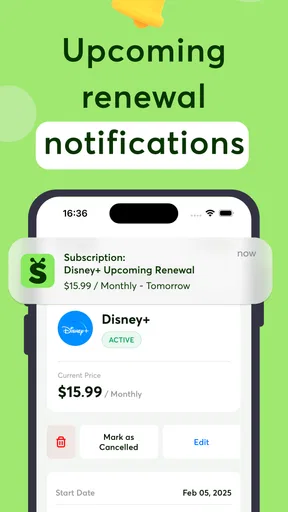
And if you're a bit forgetful like me, Subee sends reminders for upcoming renewals, so you can decide whether to keep or ditch a service before you're charged. Talk about having a personal assistant!
After tapping cancel
Even when a cancellation flow feels straightforward, I would look for a confirmation from the service itself and keep it until the account shows the plan has ended. Some providers may require a final confirmation step or handle cancellation through their own account settings. A reminder is most useful when I act on it in time, so I would set aside a short recurring review rather than expect an alert to make the decision for me.
This is also where a subscription manager differs from contacting each provider directly. Going through a provider’s own site can be slower, but it gives me direct control and makes the provider’s terms easier to check. An intermediary can reduce the effort of finding and managing services, but I still want a clear record that the cancellation actually took effect.
Additional Perks
Beyond its core functionality, Subee offers some nifty features. There's a savings calculator that estimates how much you can save by canceling redundant services, which is a real eye-opener. Plus, the app provides insights on similar services that might be more cost-effective, helping you make informed decisions.
I would treat those savings estimates as planning aids, not guaranteed cash back. A projected saving only becomes real if a cancellation succeeds and I do not replace the service with another recurring expense. Likewise, suggestions for alternatives are a starting point for comparison: I would check whether a replacement actually includes the features I use before switching, since a lower price is not helpful if it does not meet the same need.
Trust, limits, and alternatives
One of the coolest parts? Subee keeps your data secure, employing encryption to ensure your financial details are safe and sound. It's comforting to know that as you're streamlining subscriptions, your information isn't floating around unsecured.
Security is important, but I would still read the app’s privacy details and account-connection prompts before proceeding. Encryption does not answer every question about how connected information is handled, so I would make an informed choice rather than treating any security feature as a reason to skip the fine print. If I prefer not to link a bank account or email, a spreadsheet, calendar reminders, or a direct review of bank statements can be a better fit, even if they require more manual upkeep.
Value depends on your habits
In a world where every service seems to require a subscription, having a tool like Subee is a game-changer. The app blends functionality with simplicity, making it accessible to tech novices and pros alike. It's like having a financial advisor in your pocket, ready to declutter your digital life.
Subee isn't just about canceling subscriptions; it's about empowering you to make smarter financial decisions. By highlighting where your money goes each month, it encourages a more mindful approach to spending. And honestly, who doesn't want to save a few bucks while cutting out the unnecessary noise?
For someone with several recurring services and a tendency to forget renewal dates, the reminders and overview may be worth the setup. Someone with only one or two subscriptions, or someone who already checks statements and provider accounts regularly, may get more value from a simple calendar note. I would also skip account linking if the access requested feels like too much for the convenience offered; manual tracking is less automatic but can be more comfortable.
Who should give it a try
With an average rating of 4.4 from around 4,100 ratings, Subee has drawn a substantial audience, while its 193 written reviews offer another place to look for user experiences. It has passed 50,000 installs, is rated for Everyone, and version 1.1.22 supports Android 7.0 or later. Those details make it straightforward to judge basic compatibility, but they do not guarantee that every bank, email account, or provider will work the same way for every person.
I see the strongest case for someone who has accumulated subscriptions across different parts of life and wants a prompt to examine them in one sitting. It is less compelling for a person who wants tax filing help, guaranteed refunds, or a fully hands-off financial service. The app’s finance focus should not be confused with official IRS processing: for tax matters, I would use the relevant government channels and treat any refund-related feature as separate from a guaranteed outcome.
Why Subee Stands Out
In a world where every service seems to require a subscription, having a tool like Subee is a game-changer. The app blends functionality with simplicity, making it accessible to tech novices and pros alike. It's like having a financial advisor in your pocket, ready to declutter your digital life.
Subee isn't just about canceling subscriptions; it's about empowering you to make smarter financial decisions. By highlighting where your money goes each month, it encourages a more mindful approach to spending. And honestly, who doesn't want to save a few bucks while cutting out the unnecessary noise?
Whether you're juggling multiple streaming services, fitness apps, or niche subscriptions you signed up for on a whim, Cancel Subscriptions - Subee has got your back. It's the ultimate sidekick for anyone looking to reclaim control over their subscriptions without the hassle.
If you're ready to take the plunge and regain control of your finances, give Subee a try. You might just find yourself wondering how you ever managed without it. Happy unsubscribing!
Verdict
Strengths of Cancel Subscriptions - Subee
- Simple interface for easy navigation.
- Fast cancellation process for subscriptions.
- Supports a wide range of services.
- Provides reminders for renewal dates.
- Detailed subscription expense tracking.
Limitations of Cancel Subscriptions - Subee
- Limited support for international services.
- In-app ads can be intrusive.
- Requires access to personal data.
- Occasional sync issues with accounts.
- No option for manual subscription entry.
Similar Picks in This Category
View All
Google Wallet
Google LLC4.3

Airtel: Recharge, Bank & Loans
Airtel4.0

PayPal - Pay, Send, Save
PayPal Mobile4.2

DANA Indonesia Digital Wallet
PT Espay Debit Indonesia Koe4.5

Binance: Buy Bitcoin & Crypto
Binance Inc.4.8

Cash App
Block, Inc.4.7
Frequently Asked Questions
What is Cancel Subscriptions - Subee and how does it work?
Cancel Subscriptions - Subee is an app designed to help users manage and cancel subscriptions effortlessly. It connects to your bank or email to track active subscriptions and provides an easy interface to cancel or modify them. This app saves time and money by ensuring you don't pay for unused services.
Is Cancel Subscriptions - Subee safe to use with my financial information?
Yes, Cancel Subscriptions - Subee prioritizes user security. It uses advanced encryption protocols to protect your data. Your financial information is securely handled, ensuring that only you have access to sensitive details. Always review their privacy policy for additional information on data protection measures.
Can I use Cancel Subscriptions - Subee for free, or is there a subscription fee?
Cancel Subscriptions - Subee offers a free version with basic features to manage your subscriptions. However, for access to premium features like advanced reporting and priority customer support, a subscription fee may apply. Check the app's pricing details to understand the available plans and decide what suits your needs.
Does Cancel Subscriptions - Subee support all types of subscriptions?
The app supports a wide range of subscriptions, including digital services, streaming platforms, and utility payments. While it covers most popular services, there might be exceptions depending on regional availability or service providers. It’s recommended to check within the app to see if your specific subscriptions are supported.
How does Cancel Subscriptions - Subee handle subscription notifications?
Cancel Subscriptions - Subee provides timely notifications about upcoming subscription renewals and payment dates. Users can customize alert settings to receive reminders via push notifications or emails, helping you stay informed and avoid unwanted charges. This feature ensures that you can make informed decisions about continuing or canceling services.
